Mixing & export
Third-party WAM effects
WAM plugins run in the browser. In Studio, you can add them to audio or MIDI tracks and the master bus, save their settings with the project and include their processing in an exported mix.
Add a plugin
- Open the selected track's sidebar mixer or the Master bus.
- Find Third-party plugins · WAM.
- Choose an effect and press Add plugin.
- In its card, press Plugin parameters to load the available controls.
- Adjust the effect, listen to the result and save the project.
Effects load from the webaudiomodules.com community catalog, so loading requires a network connection. Individual parameter names come from the plugin itself and may remain in English.
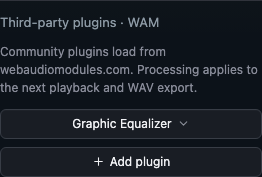 Scroll the mixer to Third-party plugins · WAM. Choose an effect, then click Add plugin. Plugin names stay in their original language.
Choose an effect
| Plugin | Use |
|---|---|
| Graphic Equalizer | Frequency correction for a track or the entire mix |
| Ping Pong Delay | Delay with repeats moving between the left and right channels |
| KBVerb | Adding reverb and space |
To correct one instrument, add the effect in its track mixer. A master plugin processes the combined result and affects every part.
Manage the chain
Enabled lets you compare the effect with bypass while retaining its settings. Wet mix controls the processed share: 0% leaves the dry signal, 100% uses the processed signal.
Earlier and Later change plugin order. Remove plugin removes the selected effect. Compare alternatives at similar loudness: a level increase can create a misleading impression of improvement.
WAM and the built-in Effect chain are separate lists. Track WAM plugins run before the built-in channel effects. Master plugins run before final master processing. Arbitrarily interleaving WAM and built-in effects in one list is currently unavailable.
Playback, live mode and export
In the standard mode, changes apply on the next playback start. With Live mixing enabled, parameters of running plugins update during playback; changing the chain's membership or order requires preparation of a new signal path. When a track's processing is frozen, its processed audio is recalculated when relevant settings change.
Mix export includes enabled plugins. Pre-mixer stems · ZIP transfers source channels and excludes channel and master effects. See the export guide for details.
If a plugin does not load
Check your connection and the error message, then retry loading parameters or starting playback. If an effect is temporarily unavailable, you can explicitly disable it and evaluate the result without processing. An enabled plugin's failure should not silently produce a dry mix instead of the expected result.
The built-in WAM catalog supports effects. Arbitrary plugin URLs, WAM instruments and native VST3/AU plugins are not supported here. Original plugin interfaces are not embedded; Studio uses its shared controls.
Continue with live mixing and freezing and mix analysis.